As Amazon Associates, we earn from qualifying purchases. This means we may receive a small commission at no extra cost to you if you click through and make a purchase.
Connecting a Mac to an external monitor requires balancing visual sharpness, workspace ergonomics, and single-cable efficiency. For creative professionals in 3D modeling, visual effects, and video editing, the central choice is whether to invest in a native 5K display that matches Apple’s 218 PPI Retina standard or choose a versatile 4K or 2K alternative. Selecting the right panel involves weighing native pixel density against desktop real estate, verifying sufficient USB-C or Thunderbolt power delivery, and choosing a glare-reducing finish for long production sessions.
BenQ organizes its Mac-ready catalog across clear resolution tiers, color spaces, and port configurations to suit specific creative fields. The PD series targets designers and animators with factory-calibrated accuracy, wide P3 color gamuts, integrated KVM switches, and high-wattage single-cable power. In contrast, dedicated video monitors like the PV series focus on large-format 4K canvases, built-in studio audio monitoring, and specialized mobile previewing tools. Assessing these specifications helps you select the best monitor for your workspace.
BenQ Monitors Lineup at a Glance
| Model | Resolution and Density | Color Gamut and Contrast | Power Delivery and Ports |
|---|---|---|---|
| BenQ PD2730S | 27″ 5K (5120 x 2880), 218 PPI | 98% Display P3, 2000:1 Contrast | 90W Thunderbolt 4, Daisy Chain |
| BenQ PD2705Q | 27″ 2K QHD (2560 x 1440) | 100% sRGB / Rec.709, 1000:1 Contrast | 65W USB-C, DisplayPort, HDMI |
| BenQ PV3200U | 32″ 4K UHD (3840 x 2160) | 95% P3, 100% Rec.709, 1000:1 Contrast | 65W USB-C, 2.1ch Audio System |
| BenQ PD2706QN | 27″ 2K QHD (2560 x 1440, 100Hz) | 95% P3, 100% sRGB, 1000:1 Contrast | 90W USB-C, Daisy Chain (MST) |
| BenQ PD2706U | 27″ 4K UHD (3840 x 2160) | 95% P3, 99% sRGB, 1000:1 Contrast | 90W USB-C, DisplayPort, KVM Hub |
The Models in Detail
BenQ PD2730S 27″ 5K 218 PPI

Best for: VFX animators and 3D artists needing Retina clarity
Pros
- Native 5K resolution with 218 PPI
- 90W Thunderbolt 4 daisy chaining
- 2000:1 contrast ratio
- Reflection-free Nano Matte panel
Cons
- Heavy 17.5-pound item weight
- Standard 60Hz refresh rate
The BenQ PD2730S 27″ 5K 218 PPI serves as the premier benq 5k monitor for mac creators who demand uncompromised pixel density. Packing a 5120 x 2880 resolution onto a 27-inch panel, this monitor matches the 218 PPI density of macOS Retina displays. According to listing specifications, this density yields 77.8% more pixels than standard 4K screens, delivering razor-sharp text, fine vector detail, and smooth gradients without scaling artifacts. Built for 3D animators and VFX artists, the panel features a deep 2000:1 contrast ratio, 98% Display P3 coverage, and a TÜV-certified reflection-free Nano Matte surface that diffuses ambient studio lighting to preserve eye comfort.
High-bandwidth Thunderbolt 4 connectivity makes the unit a formidable benq mac thunderbolt monitor for clean workstation setups. Delivering up to 90W of power while supporting 40Gbps transfers, it can daisy-chain two 5K displays or a single 8K monitor over certified Thunderbolt 4 cables. An integrated KVM switch allows seamless dual-computer control using one keyboard and mouse, with instant toggling via the wireless Hotkey Puck. Supported by an ergonomic stand with Freesync capability at 60Hz, this 17.5-pound display excels in professional studios. Those reviewing broader workstation options in our benq mac monitor guide will find the BenQ PD2730S 27 5K unmatched for native Retina clarity, yielding only when lower power draws or alternative resolutions take priority.
| Color | White |
|---|---|
| Size | 7.50 |
| Dimensions | 24 x 22 x 9.5 inches |
1 more published attribute
| Weight | 17.5 pounds |
|---|
Specifications and price are read from the Amazon product listing, not measured by this site. Open the listing
BenQ PD2705Q AQCOLOR 27″ QHD 1440P

Best for: Graphic designers focused on standard sRGB workflows
Pros
- Factory-calibrated 100% sRGB and Rec.709
- CalMan verified and Pantone Validated
- Built-in KVM switch and DualView
Cons
- Lower 65W power delivery
- Modest 250-nit brightness
The BenQ PD2705Q AQCOLOR 27″ QHD 1440P is built for graphic designers, web developers, and digital illustrators working within standard sRGB environments. Equipped with a 27-inch IPS LCD panel running at 2560 x 1440 QHD resolution, this screen achieves 100% sRGB and Rec.709 coverage. The BenQ PD2705Q AQCOLOR comes factory-calibrated with a certificate confirming an average Delta E of 3 or lower, alongside CalMan verification and Pantone Validated credentials. Contrast is rated at 1000:1 with 250 nits of brightness, supported by Brightness Intelligence (B.I.) technology that optimizes panel illumination against ambient room lighting.
Workspace integration is handled by a 65W USB-C port that transmits video, audio, data, and power through a single cable. The interface includes HDMI, DisplayPort, a built-in USB hub, and daisy-chain support for clean multi-screen arrangements. A built-in KVM switch and DualView mode enable users to control two systems simultaneously and inspect designs in split color modes. Supported by an ergonomic height-adjustable stand, this display is a practical choice for those seeking the best benq display for macbook web design tasks. It pairs naturally alongside a dedicated benq coding monitor, though users needing 4K resolution or 90W charging will prefer the PD2706U.
| Color | Grey |
|---|---|
| Size | 27 Inch |
| Dimensions | 19 x 26.5 x 9 inches |
1 more published attribute
| Weight | 18.72 Pounds |
|---|
Specifications and price are read from the Amazon product listing, not measured by this site. Open the listing
BenQ PV3200U 32” 4K UHD Monitor
Best for: Video editors needing large screen studio monitoring
Pros
- Large 32-inch 4K UHD IPS panel
- Built-in 2.1-channel audio with woofer
- Mobile Color Preview and ICCsync
- Wireless Hotkey Puck controller
Cons
- Lower 65W USB-C power delivery
- Standard 60Hz refresh rate
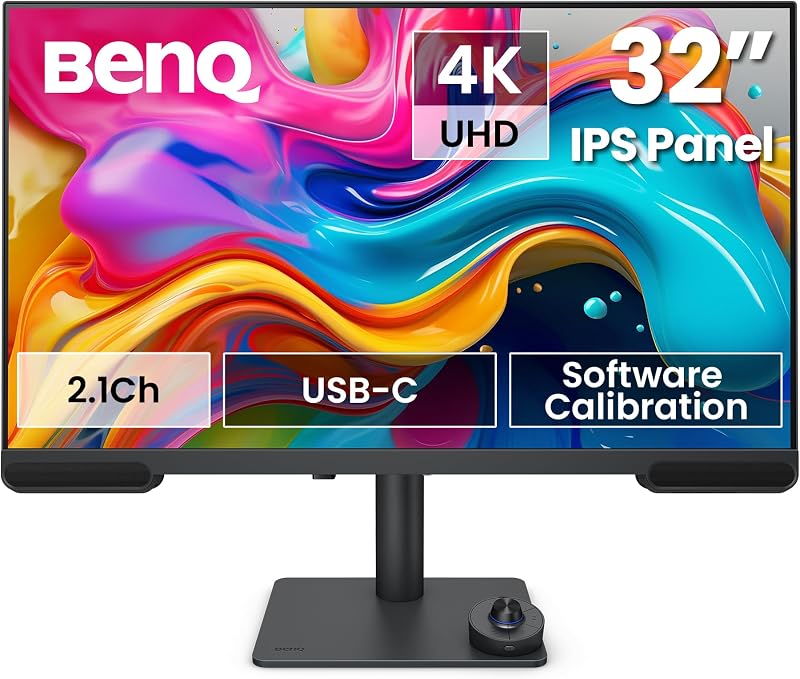
The BenQ PV3200U 32” 4K UHD Monitor expands the visual workspace to 32 inches for post-production suites and video editors. Featuring a native 3840 x 2160 4K UHD resolution, this IPS LED display provides ample screen space to organize multi-track timelines, color scopes, and preview windows. The panel covers 95% DCI-P3, 100% Rec.709, and 100% sRGB color gamuts, arriving factory-calibrated to a Delta E of 2 or less. It also supports software calibration to maintain consistent color metrics over months of rendering, backed by a 1000:1 contrast ratio and a glare-reducing matte finish.
To streamline editing, the BenQ PV3200U 32 4K includes a specialized Mobile Color Preview mode for checking how video renders on iPhones and iPads, while BenQ ICCsync auto-matches color profiles with a connected MacBook. Audio monitoring is handled by an integrated 2.1-channel speaker system featuring a dedicated woofer and Studio Mode tuning. An included Wireless Hotkey Puck and Display Pilot 2 software allow rapid adjustments to color modes, volume, and brightness without OSD navigation. Offering 65W USB-C connectivity, an ergonomic stand, and a 12.6-pound weight, this display delivers great editing space, giving way to the PD2706U or PD2730S when 90W charging or 5K scaling is needed.
| Color | White |
|---|---|
| Size | 32 |
| Dimensions | 17 x 8 x 21 inches |
1 more published attribute
| Weight | 12.62 pounds |
|---|
Specifications and price are read from the Amazon product listing, not measured by this site. Open the listing
BenQ PD2706QN 27” 2K QHD
Best for: Mac users wanting high refresh motion design
Pros
- Smooth 100Hz refresh rate
- 90W USB-C single-cable power delivery
- 95% P3 wide color gamut
- Multi-stream transport daisy chaining
Cons
- Heavy 29.3-pound item weight
- Lower 1440p resolution than 4K
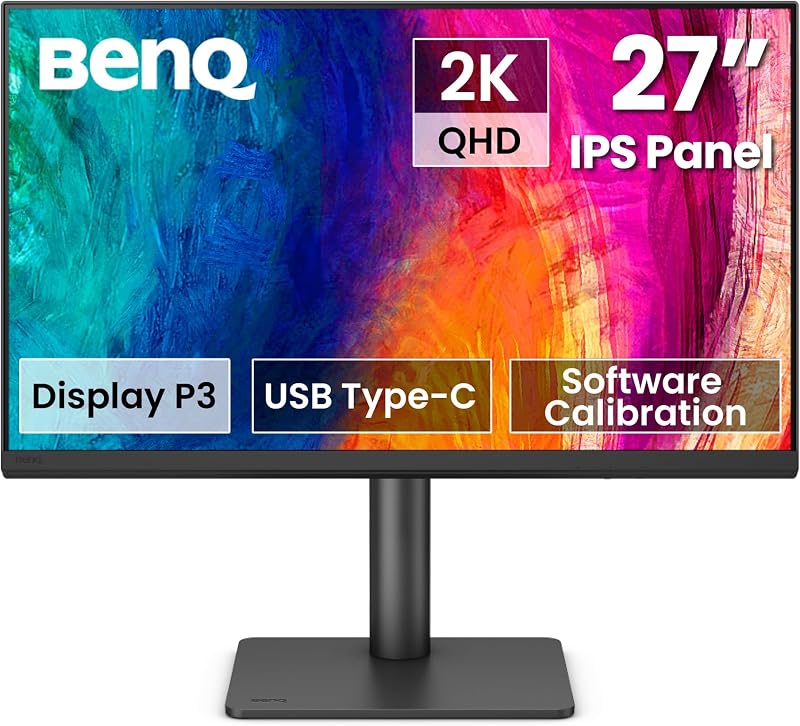
The BenQ PD2706QN 27” 2K QHD pairs color accuracy with an elevated 100Hz refresh rate, delivering fluid cursor tracking, responsive UI navigation, and smoother timeline scrubbing than standard 60Hz panels. Built on a 27-inch 2560 x 1440 QHD IPS LCD screen, it covers 95% P3 and 100% sRGB/Rec.709 gamuts with a factory-calibrated average Delta E of 2 or lower. An anti-glare Nano Matte panel diffuses ambient light while preserving native contrast and tonal depth during extended work sessions.
Connectivity is highlighted by a 90W USB-C port that provides sustained charging for demanding laptops while routing video and peripheral data. The monitor supports multi-stream transport (MST) daisy chaining for clean multi-display desks, while ICCsync automatically syncs color profiles between macOS and the display when switching modes. The BenQ PD2706QN 27 2K rests on a fully adjustable ergonomic stand offering tilt, swivel, pivot, and height articulation, supported by a 29.3-pound total build weight. It is an excellent choice for motion designers wanting higher refresh rates, stepping aside for the PD2706U or PD2730S when 4K or 5K resolution is required.
| Color | Black |
|---|---|
| Dimensions | 17 x 9.02 x 24 inches |
| Weight | 29.3 pounds |
Specifications and price are read from the Amazon product listing, not measured by this site. Open the listing
BenQ PD2706U Mac-Ready Monitor 27” 4K
Best for: Creative professionals balancing 4K clarity and connectivity
Pros
- Sharp 4K UHD IPS display
- 90W USB-C power delivery
- DisplayHDR 400 and 95% P3 coverage
- Integrated KVM switch with Hotkey Puck
Cons
- Modest 250-nit baseline brightness
- Standard 60Hz refresh rate
The BenQ PD2706U Mac-Ready Monitor 27” 4K offers an ideal balance of high resolution and versatile docking capabilities. Featuring a 27-inch 4K UHD 3840 x 2160 IPS panel, it provides crisp visuals with a 0.16 pixel pitch and a 1000:1 contrast ratio. The display covers 95% P3 and 99% sRGB/Rec.709 gamuts with factory-calibrated Delta E of 3 or less, supported by Calman verification, Pantone Validation, and DisplayHDR 400 certification. For those assessing 4K options, this model serves as a core reference in our benq 27 inch monitor 4k roundup.
Equipped with a 90W USB-C port, the BenQ PD2706U Mac-Ready charges host laptops while transmitting video and data over a single connection. A built-in KVM switch, DisplayPort, and multi-port USB hub allow two computers to share a single keyboard and mouse setup. BenQ ICCsync synchronizes P3 color profiles with macOS within one second via Display Pilot, while the included HotKey Puck provides tactile control over inputs and color modes. Supported by flicker-free eye-care technologies and a fully ergonomic stand, the PD2706U is an exceptional all-round design display, deferring only to the PD2730S when native 218 PPI 5K scaling is mandatory.
| Color | Black |
|---|---|
| Dimensions | 10 x 38 x 30 inches |
| Weight | 26 Pounds |
Specifications and price are read from the Amazon product listing, not measured by this site. Open the listing
Matching a Model to Your Setup
- Native 5K macOS interface scaling: Choose the BenQ PD2730S 27″ 5K 218 PPI for pixel-perfect 218 PPI rendering, Thunderbolt 4 daisy chaining, and a 2000:1 contrast ratio engineered for 3D animators and VFX artists.
- Full-featured 4K docking and dual-system control: Select the BenQ PD2706U Mac-Ready Monitor 27” 4K to gain 90W USB-C charging, DisplayHDR 400 capability, and built-in KVM switching in a 27-inch footprint.
- Large-scale video editing and sound verification: Opt for the BenQ PV3200U 32” 4K UHD Monitor to maximize timeline space on a 32-inch screen with integrated 2.1-channel audio and mobile preview modes.
- Fluid motion design with high refresh rates: Pick the BenQ PD2706QN 27” 2K QHD to enjoy 100Hz responsiveness, 90W USB-C power delivery, and anti-glare Nano Matte optical treatment.
- Standard web graphics and entry-level studio work: Deploy the BenQ PD2705Q AQCOLOR 27″ QHD 1440P for reliable 100% sRGB accuracy, 65W USB-C single-cable connectivity, and dual-system KVM efficiency.
Before You Buy
When conducting a benq monitor comparison, shoppers should note details that the product listings do not specify. For instance, the listings do not provide the standalone panel weight without the desk stand, which is critical if you plan to install the display on a third-party VESA monitor arm. Furthermore, while the PD2706U specifies DisplayHDR 400 support and a 250-nit brightness baseline, the listings for the PD2730S, PD2706QN, and PV3200U do not state specific peak nit ratings or sustained HDR brightness levels in their technical summaries.
Accessory inclusions and integrated audio provisions also require verification. While the PD2730S highlights Thunderbolt 4 connectivity with 40Gbps throughput, the listings do not state the exact length of the bundled Thunderbolt or USB-C cables. Additionally, audio setups differ across models: the PV3200U explicitly documents a 2.1-channel speaker arrangement with a dedicated woofer, whereas the listings for the PD series monitors do not specify whether internal speakers are present or what audio wattage they provide. Checking your cable reach and audio monitoring setup beforehand prevents installation delays.
FAQ
Why does a 5K resolution matter specifically for macOS users?
Apple macOS is designed around a target pixel density of roughly 218 pixels per inch, which enables true 2x integer Retina scaling. On a 27-inch 4K monitor, macOS must perform fractional scaling to render readable UI text, which can create slight GPU overhead and subtle visual softening. The BenQ PD2730S 27″ 5K provides native 5120 x 2880 resolution, delivering the exact 218 PPI density needed for sharp typography and native 1:1 pixel rendering.
What is the difference between Thunderbolt 4 and standard USB-C on BenQ displays?
Thunderbolt 4 and standard USB-C share the same physical port, but Thunderbolt 4 offers higher 40Gbps bandwidth. On the BenQ PD2730S, this enables simultaneous 5K video transmission, 90W laptop charging, and daisy-chaining two 5K displays over certified cables. Standard USB-C connections on models like the PD2706U and PD2705Q use DisplayPort Alt Mode to transmit video, data, and power, but operate within lower overall peripheral bandwidth limits.
How does BenQ ICCsync simplify color management on a MacBook?
ICCsync is an automated profile-matching feature in BenQ Display Pilot software that synchronizes the ICC color profiles between macOS and the external monitor. When you switch picture modes on the display, such as moving between Display P3 and sRGB, ICCsync updates the operating system color profile within seconds. This eliminates manual color configuration and ensures consistent color reproduction across screens.
Can these BenQ monitors charge a 16-inch MacBook Pro at full speed?
The BenQ PD2730S, PD2706U, and PD2706QN provide up to 90W power delivery over USB-C or Thunderbolt, which supplies ample sustained power to run and charge a 16-inch MacBook Pro under active production workloads. Displays offering 65W power delivery, such as the PD2705Q and PV3200U, will adequately charge smaller MacBook models or maintain battery levels on larger machines, though recharging speeds under full rendering loads may be slower.
Which BenQ monitor to buy for general graphic design versus video editing?
Deciding which benq monitor to buy depends on your primary medium and delivery requirements. For graphic designers working primarily on web graphics, user interfaces, and print layouts within standard gamuts, the BenQ PD2705Q AQCOLOR provides 100% sRGB accuracy and practical 1440p resolution. In contrast, video editors handling cinematic footage will benefit from the BenQ PV3200U 32 4K or BenQ PD2706U Mac-Ready, both of which feature wide 95% P3 color coverage, factory Delta E calibration, and 4K resolution for reviewing high-definition timelines.
Side by side
The 5 models above, lined up on the attributes that every one of them publishes, plus the figures Amazon lists for all of them. Ratings are the average score left by Amazon buyers, not a score from this site.
| Attribute | 01 PD2730S 27" 5K 218 PPI | 02 PD2705Q AQCOLOR 27" QHD 1440P | 03 PV3200U 32” 4K UHD Monitor | 04 PD2706QN 27” 2K QHD | 05 PD2706U Mac-Ready Monitor 27” 4K |
|---|---|---|---|---|---|
| Buyer ratingaverage left by Amazon buyers | 4.9/5 | 4.7/5 | 4.2/5 | 4.1/5 | 4.1/5 |
| Color | White | Grey | White | Black | Black |
| Dimensions | 24 x 22 x 9.5 inches | 19 x 26.5 x 9 inches | 17 x 8 x 21 inches | 17 x 9.02 x 24 inches | 10 x 38 x 30 inches |
| Weight | 17.5 pounds | 18.72 Pounds | 12.62 pounds | 29.3 pounds | 26 Pounds |
Attributes that only some of the models publish are left out of this table; they stay in each model’s own spec sheet above.