As Amazon Associates, we earn from qualifying purchases. This means we may receive a small commission at no extra cost to you if you click through and make a purchase.
Choosing the right desktop display often comes down to balancing panoramic horizontal workspace against ultra-dense vertical resolution. Traveling creators, mobile editors, and remote professionals frequently search for an lg 34 inch monitor 4k setup, only to discover that the display market splits into two distinct form factors. LG 34-inch ultrawide monitors feature an expansive 21:9 aspect ratio with WQHD resolution, giving you an extended editing timeline and multi-window layout without requiring dual monitors. Conversely, 32-inch 4K UHD screens deliver a traditional 16:9 canvas packed with over eight million pixels for razor-sharp visual detail and vertical asset inspection.
LG organizes its catalog across three focused tiers: productivity-oriented UltraWide models, high-resolution UltraFine displays, and gaming-centric UltraGear screens. The productivity lineups emphasize clean single-cable connectivity, providing integrated USB Type-C hubs that stream display signals, manage peripheral data, and push high-wattage charging power directly back to your laptop battery. The UltraFine models focus on high pixel density and color precision, while the UltraGear monitors prioritize high refresh rates, aggressive screen curvatures, and rapid pixel response times. Reviewing how each tier balances panel technology, stand ergonomics, and port selection reveals exactly how to configure an efficient workstation tailored to on-the-go production.
LG Monitors Lineup at a Glance
| Model | Screen Size & Resolution | Panel Type & Refresh Rate | Connectivity & Power Delivery |
|---|---|---|---|
| LG 34WR55QK-B | 34-inch WQHD (3440 x 1440) | VA, 100Hz | USB-C (65W PD), 2x HDMI, DisplayPort |
| LG 34U650A-B | 34-inch WQHD (3440 x 1440) | IPS, 100Hz | USB-C (96W PD), HDMI, DisplayPort |
| LG 32UP83AK-W | 31.5-inch 4K UHD (3840 x 2160) | IPS, 60Hz | USB-C (60W PD), HDMI, DisplayPort |
| LG 34G600A-B | 34-inch WQHD (3440 x 1440) | VA, 160Hz | HDMI 2.1, DisplayPort |
| LG 32UR500K-B | 31.5-inch 4K UHD (3840 x 2160) | VA, 60Hz | 2x HDMI, DisplayPort |
| LG 34GS95QE | 34-inch WQHD (3440 x 1440) | OLED, 240Hz | HDMI 2.1, DisplayPort 1.4 |
The Models in Detail
LG 34WR55QK-B 34-inch UltraWide WQHD

Best for: Multitasking editors needing dual-input Picture-by-Picture
Pros
- 65W USB-C laptop power delivery
- Picture-by-Picture multi-input support
- Deep 3000:1 contrast VA panel
Cons
- Modest 65W charging for heavy rigs
- Slight color shifting at extreme angles
The LG 34WR55QK-B 34-inch UltraWide WQHD delivers a 3440 x 1440 curved workspace engineered directly for demanding multi-window productivity. Built around a 21:9 VA panel with a deep 3000:1 contrast ratio, this monitor provides strong black levels and clean separation between color tones, backed by HDR10 decoding and 99% sRGB color gamut coverage. A smooth 100Hz refresh rate and a 5ms response time keep desktop navigation fluid when scrubbing video timelines or managing large spreadsheets. For traveling professionals seeking to dock their mobile workstation with minimal clutter, the integrated USB Type-C port delivers display output, data routing, and up to 65W power delivery over one cable.
Desktop flexibility is a major asset of the lg 34wr55qk-b, particularly for creators who manage multiple machines at once. The monitor features OnScreen Control software that supports Picture-by-Picture, allowing you to configure the monitor to show content from two separate input sources simultaneously on one screen. In addition to the multi-purpose USB-C connection, the back panel includes two HDMI inputs, a DisplayPort, two USB ports, and a dedicated headphone jack. Ergonomic adjustments include a height and tilt-adjustable stand that lets you align your viewing angle comfortably on any temporary desk.
This model suits business professionals, spreadsheet analysts, and video editors who need continuous screen real estate and dual-machine Picture-by-Picture monitoring. However, if your portable rig includes a high-draw creative laptop that requires heavier charging, this 65W power delivery system yields to models with higher wattage outputs.
| Color | Black |
|---|---|
| Dimensions | 10.2 x 31.9 x 22.4 inches |
| Weight | 15.2 Pounds |
Specifications and price are read from the Amazon product listing, not measured by this site. Open the listing
LG 34U650A-B 34-inch UltraWide IPS WQHD

Best for: Mobile video editors requiring robust charging
Pros
- High-power 96W USB-C delivery
- Color-consistent IPS display panel
- Built-in DepthSound audio system
Cons
- Lower 1000:1 contrast ratio
- Stand lacks swivel and pivot
Designed for creators who prioritize color consistency across broad angles, the LG 34U650A-B 34-inch UltraWide IPS WQHD pairs a 3440 x 1440 resolution with an IPS panel and a gentle 3800R curvature. The IPS technology provides 178-degree viewing angles with consistent color and brightness across the entire 34-inch width, making it a reliable tool for color grading and visual production. The display offers up to 99% sRGB coverage, HDR10 enhancement, and 300 cd/m² brightness, running at a smooth 100Hz refresh rate with a 5ms response time.
Connectivity is where the lg 34u650a-b stands out as a premier lg ultrawide usb c monitor. Its USB Type-C interface supplies an impressive 96W of laptop charging power, easily handling demanding creator notebooks while passing high-definition video and data across a single tether. Audio clutter is eliminated through built-in stereo speakers featuring DepthSound technology, which provides full audio with enhanced bass for video calls and rough cuts. Multitasking is streamlined using LG’s Switch app, enabling quick hotkey layouts to split the desktop into up to six customized zones.
This monitor suits traveling videographers, content creators, and remote developers who need dependable IPS color fidelity alongside robust 96W single-cable laptop charging. Users seeking extreme contrast for dark-room viewing will find high-contrast VA or OLED alternatives more aligned with their preferences.
| Color | Black |
|---|---|
| Size | 34 |
| Dimensions | 9.1 x 32.2 x 21.1 inches |
1 more published attribute
| Weight | 22.3 pounds |
|---|
Specifications and price are read from the Amazon product listing, not measured by this site. Open the listing
LG 32UP83AK-W 32-inch Ultrafine 4K UHD
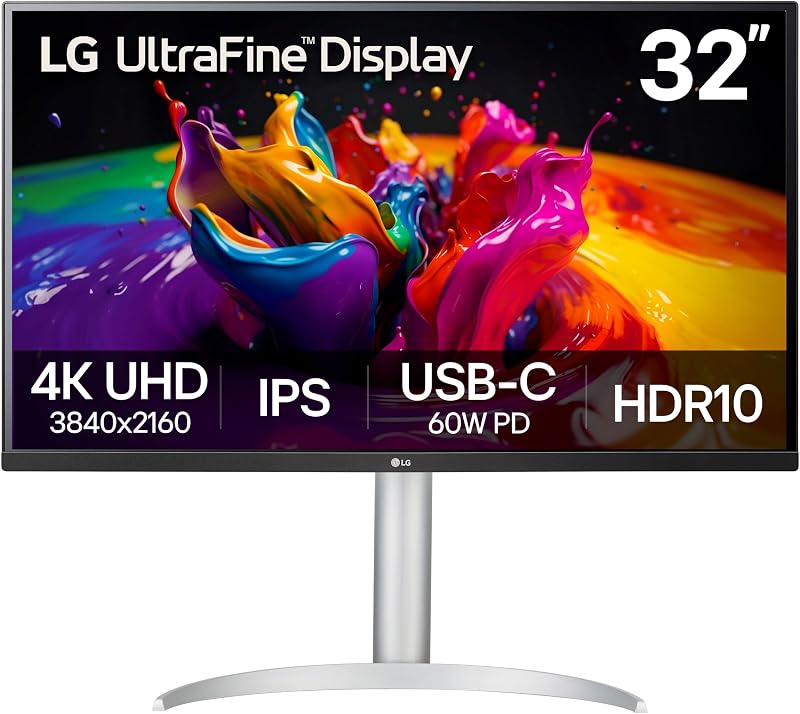
Best for: Photo editors and portrait orientation coders
Pros
- Sharp 3840×2160 4K UHD resolution
- Wide 95% DCI-P3 color gamut
- Versatile tilt height and pivot stand
Cons
- Standard 60Hz refresh rate
- Limited 60W USB-C charging output
When your workflow demands vertical pixel density over horizontal width, the LG 32UP83AK-W 32-inch Ultrafine 4K UHD steps forward with native 3840 x 2160 resolution across a 31.5-inch IPS panel. Packing over eight million pixels with a fine 0.18mm pixel pitch, this display resolves minute image textures and sharp typography that ultrawide formats cannot match. The panel achieves a bright 350 cd/m² luminance rating, 1000:1 contrast ratio, and a wide color spectrum expressing up to 95% DCI-P3 color gamut coverage with HDR10 support.
The lg 32up83ak-w integrates workstation docking through a USB Type-C port offering 60W power delivery, display signal routing, and rapid data transfer over a single cable. Stand flexibility is exceptionally thorough, incorporating height, tilt, and 90-degree pivot adjustability to transition between horizontal landscape editing and vertical coding or document layout. The chassis is finished in white and includes built-in speakers, Reader Mode, Flicker Safe technology, HDMI, and DisplayPort inputs. Readers evaluating creative displays across the wider lg 32 4k category will appreciate this model’s balanced feature set.
This unit suits photographers, print designers, and programmers who benefit from portrait orientation and dense 4K resolution for sharp text and fine retouching. While its 60Hz refresh rate is tailored for professional mastering rather than fast-paced action, it provides the precise pixel rendering required for meticulous visual output.
| Color | White |
|---|---|
| Size | 32 Inch |
| Dimensions | 9.4 x 28.1 x 23.5 Inches |
1 more published attribute
| Weight | 18.3 pounds |
|---|
Specifications and price are read from the Amazon product listing, not measured by this site. Open the listing
LG 34G600A-B 34-inch Ultragear WQHD
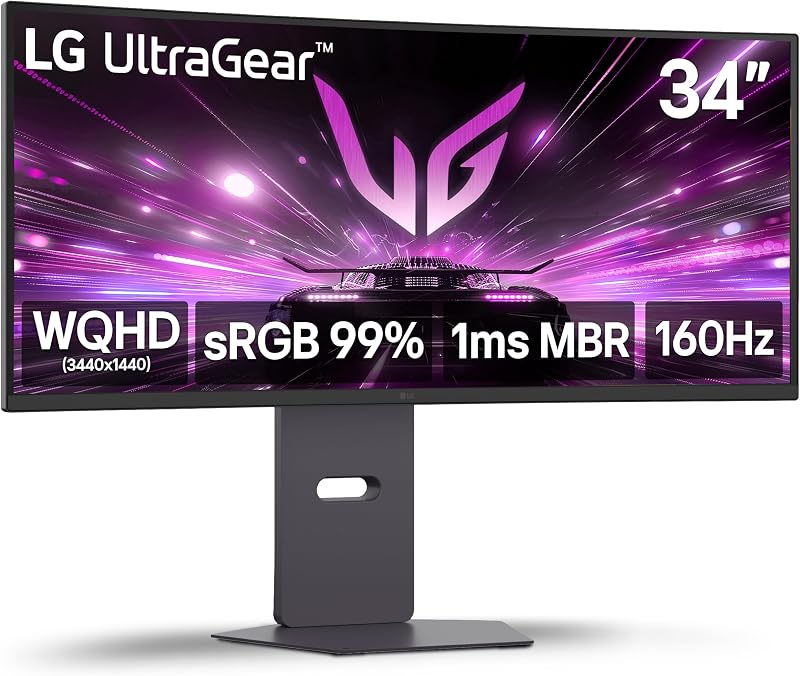
Best for: Gamers and creators needing high framerates
Pros
- Rapid 160Hz refresh rate
- Deep 4000:1 contrast ratio
- AMD FreeSync Premium support
Cons
- Lacks USB-C connectivity
- Heavier 22-pound desk footprint
The LG 34G600A-B 34-inch Ultragear WQHD brings gaming-grade speed and deep contrast to the 21:9 ultrawide desktop form factor. Built with a curved 3440 x 1440 VA panel, it achieves a deep 4000:1 contrast ratio that ensures rich shadows and striking visual depth. With a fast 160Hz refresh rate, 1ms Motion Blur Reduction, and AMD FreeSync Premium support, it eliminates screen tearing and ghosting during rapid motion.
Curvature on the lg 34g600a-b is set to an immersive 1800R profile, wrapping peripheral details into the user’s natural field of view. The display outputs 300 cd/m² brightness with 99% sRGB color gamut coverage and HDR10 dynamic range. Connectivity includes HDMI 2.1, DisplayPort, and integrated stereo speakers, while the heavy-duty stand accommodates height, tilt, and swivel adjustments. Those examining fast ultrawide options alongside models like a gawfolk 34 inch curved monitor will find LG’s high refresh rate and deep contrast performance especially compelling.
This display suits hybrid users who balance daytime productivity with high-framerate evening gaming and media consumption. Because it relies entirely on dedicated HDMI 2.1 and DisplayPort inputs without USB Type-C power delivery, traveling laptop users will need to carry their laptop’s native charging adapter.
| Color | Black |
|---|---|
| Dimensions | 9.8 x 31.9 x 18.5 inches |
| Weight | 22 pounds |
Specifications and price are read from the Amazon product listing, not measured by this site. Open the listing
LG 32UR500K-B Ultrafine 32-inch 4K UHD
Best for: Budget-focused desktop workers wanting 4K
Pros
- Crisp 4K UHD pixel density
- Integrated Waves MaxxAudio speakers
- 90% DCI-P3 color expression
Cons
- No USB-C connectivity
- Tilt-only stand adjustment
The LG 32UR500K-B Ultrafine 32-inch 4K UHD offers an accessible 3840 x 2160 workstation solution on a 31.5-inch VA panel. Delivering crisp 4K UHD image clarity with a tight 0.18mm pixel pitch, it features up to 90% DCI-P3 color gamut expression and HDR10 enhancement for high-definition media consumption and office productivity. Built-in stereo speakers equipped with Waves MaxxAudio provide clear desktop sound without requiring external hardware accessories.
For screen management, the lg 32ur500k-b supports OnScreen Control software, letting users configure custom split-screen layouts with a few mouse clicks. The display operates at 60Hz with a 1000:1 contrast ratio, 250 cd/m² brightness, and a 178-degree viewing angle. Connectivity consists of two HDMI ports and a DisplayPort connection, housed within a borderless black chassis. Users comparing mid-sized creative options or evaluating formats like a samsung 37 inch monitor 4k workspace will find this 32-inch footprint straightforward to position on compact desks.
This monitor suits remote workers, home office professionals, and streaming enthusiasts who want pure 4K sharpness and capable audio on a fixed desktop. Its ergonomic adjustment is restricted to tilt only, and the omission of USB-C connectivity means mobile creators must route laptop video and power through separate cables.
| Aspect Ratio | 16:9 |
|---|---|
| Screen Finish | Matte |
| Contrast Ratio | 1000:1 |
34 more published attributes
| Refresh Rate | 60 hertz |
|---|---|
| Display Type | LED |
| Display Technology | VA |
| Viewing Angle | 178 degrees |
| Brightness | 250 |
| Pixel Pitch | 0.18 |
| Color Gamut | 80 |
| Picture Quality Enhancement Technology | HDR 10 |
| Screen Size | 31.5 inches |
| Item Dimensions D x W x H | 8.8"D x 28.1"W x 20.2"H |
| Item Weight | 13.7 pounds |
| Resolution | 4K UHD 2160p |
| Display Resolution Maximum | 3840 x 2160 |
| Native Resolution | 3840×2160 |
| Power Consumption | 31.5 watts |
| Connectivity Technology | DisplayPort, HDMI |
| Hardware Connectivity | DisplayPort, HDMI, Headphone |
| Adaptive Sync | FreeSync |
| Additional Features | Built-In Speakers, Dynamic Action Sync, High Dynamic Range, Tilt Adjustment |
| Specific Uses For Product | Multimedia |
| Color | Black |
| Mounting Type | Wall Mount |
| Compatible Devices | Devices with HDMI or DisplayPort compatibility |
| Warranty Type | 1 Year Manufacturer Warranty |
| Shape | Flat |
| Brand | LG |
| Model Number | 32UR500K-B.AUS |
| Model Name | 32UR500K-B.AUS |
| Warranty Description | 1 Year Parts & Labor |
| Included Components | Monitor, Power Adapter |
| Response Time | 4 milliseconds |
| Total Number of HDMI Ports | 2 |
| Number of Component Outputs | 2 |
| Screen Surface Description | Matte |
Specifications and price are read from the Amazon product listing, not measured by this site. Open the listing
LG 34GS95QE 34-inch Ultragear OLED Curved
Best for: Esports players seeking ultra-fast response
Pros
- Ultra-fast 240Hz refresh rate
- Near-instant 0.03ms response time
- Deep 1.5M:1 OLED contrast
Cons
- No USB-C power delivery
- Subdued 275 cd brightness
Representing the peak of visual performance in LG’s lineup, the LG 34GS95QE 34-inch Ultragear OLED Curved combines self-lit OLED technology with an aggressive 800R curvature. Operating at a 3440 x 1440 WQHD resolution, its OLED panel produces an extraordinary 1.5M:1 contrast ratio and DisplayHDR True Black 400 certification, rendering absolute blacks with zero backlight bleed. Gaming motion is exceptional, driven by an ultra-fast 240Hz refresh rate and a virtually instantaneous 0.03ms gray-to-gray response time.
The hardware design of the lg 34gs95qe is built around high-bandwidth inputs and competitive gaming standards. It features two HDMI 2.1 ports, DisplayPort 1.4, and full validation for NVIDIA G-SYNC and AMD FreeSync Premium Pro to ensure tear-free visuals up to 240Hz. The ergonomic stand provides height, tilt, and swivel articulation to fit customized workstations. Those evaluating ultra-wide alternatives or wider formats like a dell 40 inch monitor will find the 800R curve on this LG creates an uniquely wrapped field of view.
This monitor suits competitive gamers, high-end animators, and simulation enthusiasts who demand instant response and unmatched contrast ratios. However, because it lacks USB-C docking and features a dramatic 800R curve, it is less practical for mobile editors who need flat horizontal lines for architecture or basic single-cable laptop power.
| Color | Green/Red |
|---|---|
| Size | 34 inches |
| Dimensions | 10.97 x 30.87 x 23.06 inches |
1 more published attribute
| Weight | 20.5 Pounds |
|---|
Specifications and price are read from the Amazon product listing, not measured by this site. Open the listing
Matching a Model to Your Setup
- High-wattage mobile creator laptops: choose the LG 34U650A-B 34-inch UltraWide IPS WQHD for its 96W USB-C power delivery and color-consistent IPS panel.
- Dual-system productivity desk: select the LG 34WR55QK-B 34-inch UltraWide WQHD to utilize Picture-by-Picture dual-input workflows and 65W laptop charging.
- Vertical coding and high-res photo editing: opt for the LG 32UP83AK-W 32-inch Ultrafine 4K UHD for its rotating pivot stand, 95% DCI-P3 color, and dense 4K resolution.
- High-framerate gaming with deep shadows: deploy the LG 34G600A-B 34-inch Ultragear WQHD to enjoy a 160Hz refresh rate and 4000:1 VA contrast.
- General office multi-tasking on a budget: choose the LG 32UR500K-B Ultrafine 32-inch 4K UHD for clean 4K visuals, built-in MaxxAudio speakers, and OnScreen Control.
- Pro esports and dark-room simulation: invest in the LG 34GS95QE 34-inch Ultragear OLED Curved for its 240Hz speed, 0.03ms response, and 1.5M:1 OLED contrast.
Before You Buy
When assembling a streamlined mobile editing setup, note that the product listings do not specify the complete assortment or lengths of cables bundled inside the retail packaging. While models such as the LG 34U650A-B, LG 34WR55QK-B, and LG 32UP83AK-W explicitly highlight USB Type-C data and power capabilities, manufacturer listings frequently omit whether a high-bandwidth USB-C tether, HDMI 2.1 cable, or DisplayPort cable is supplied in the box. On-the-go professionals relying on single-cable charging should verify their host laptop’s port specifications and carry certified cables rated for high wattage power delivery.
Furthermore, several listings leave out specific hardware metrics such as the exact dimensions and weight of the standalone external power supply bricks. For mobile creators traveling light between edit suites, power brick bulk and cord reach can affect desk cable routing. Similarly, listings for the UltraFine and UltraGear lines do not state factory color calibration guarantees or delta-E accuracy ratings out of the box, meaning creators doing print-critical color matching will want to conduct their own display profiling upon setup.
FAQ
Does LG make an lg 34 inch monitor 4k?
In standard monitor terminology, 34-inch ultrawide monitors feature a 21:9 WQHD resolution of 3440 x 1440 rather than standard 16:9 4K UHD (3840 x 2160). When shoppers search for an lg 34 inch monitor 4k, they are typically choosing between the panoramic width of a 34-inch ultrawide or the superior pixel density of a 32-inch 4K UltraFine model like the LG 32UP83AK-W.
What are the key takeaways from an lg 34 inch monitor comparison?
An lg 34 inch monitor comparison shows distinct differences in panel technology, curvature, and refresh rate. The LG 34U650A-B uses an IPS panel with a gentle 3800R curve and 96W USB-C charging for color work, the LG 34WR55QK-B uses a 3000:1 VA panel with Picture-by-Picture, the LG 34G600A-B targets gaming with a 160Hz VA panel, and the LG 34GS95QE delivers top-tier 240Hz OLED performance with an aggressive 800R curve.
Which lg ultrawide monitor to buy for laptop charging?
When deciding which lg ultrawide monitor to buy for single-cable laptop docking, the LG 34U650A-B is the primary recommendation thanks to its 96W USB Type-C power delivery, which easily handles high-performance creative laptops. For standard notebooks requiring less charging wattage, the LG 34WR55QK-B provides a capable 65W USB Type-C connection.
Can an lg ultrawide usb c monitor display two computers at once?
Yes, the LG 34WR55QK-B specifically includes Picture-by-Picture support managed through LG OnScreen Control. This feature allows you to connect two separate computer inputs—such as a traveling laptop over USB-C and a desktop tower over HDMI or DisplayPort—and view both sources side-by-side on the single 34-inch screen.
Is a 32-inch 4K monitor better for photo editing than a 34-inch ultrawide?
For detailed photo editing, a 32-inch 4K display like the LG 32UP83AK-W offers a finer 0.18mm pixel pitch, 3840 x 2160 resolution, and 95% DCI-P3 color coverage, rendering fine textures without scaling artifacts. In contrast, 34-inch ultrawide displays excel at timeline-based editing and multitasking where horizontal workspace is more critical than raw vertical pixel density.
Side by side
The 6 models above, lined up on the attributes that every one of them publishes, plus the figures Amazon lists for all of them. Ratings are the average score left by Amazon buyers, not a score from this site.
| Attribute | 01 34WR55QK-B 34-inch UltraWide WQHD | 02 34U650A-B 34-inch UltraWide IPS WQHD | 03 32UP83AK-W 32-inch Ultrafine 4K UHD | 04 34G600A-B 34-inch Ultragear WQHD | 05 32UR500K-B Ultrafine 32-inch 4K UHD | 06 34GS95QE 34-inch Ultragear OLED Curved |
|---|---|---|---|---|---|---|
| Buyer ratingaverage left by Amazon buyers | 4.5/5 | 4.8/5 | 4.4/5 | 4.5/5 | 4.4/5 | 4.3/5 |
| Color | Black | Black | White | Black | Black | Green/Red |
Attributes that only some of the models publish are left out of this table; they stay in each model’s own spec sheet above.