As Amazon Associates, we earn from qualifying purchases. This means we may receive a small commission at no extra cost to you if you click through and make a purchase.
Selecting the right desktop monitor involves balancing physical footprint, display resolution, ergonomic adjustability, and connectivity protocols. Remote professionals and mobile editors frequently alternate between compact laptop screens and external displays, making desk efficiency and seamless integration vital. LG manufactures a versatile range of desktop office displays tailored for distinct productivity demands, from space-conscious 1080p panels built for standard administration to expansive ultrawide displays and dense 4K screens intended for detailed visual work. Evaluating how each display manages desktop space, cable clutter, and panel clarity ensures your workstation remains productive and clutter-free.
A thorough lg office monitor comparison reveals a lineup structured around specific use cases. LG organizes its desktop displays into four distinct segments: standard 16:9 Full HD IPS monitors featuring high refresh rates for everyday workflows, curved VA screens offering enhanced contrast and peripheral immersion, 21:9 ultrawide productivity displays engineered for extensive horizontal multitasking, and high-precision UltraFine 4K monitors calibrated for creative detail. Deciding which lg office monitor to buy depends on your workspace dimensions, daily software requirements, and whether your workstation benefits from single-cable laptop docking. Identifying the best lg monitor for home office use begins with matching each screen’s hardware profile to your daily computing routine.
LG Office Monitors Lineup at a Glance
| Model | Display Size and Resolution | Panel Type and Refresh Rate | Stand Adjustability | Key Connectivity |
|---|---|---|---|---|
| LG 24U411A-B | 23.8-inch Full HD (1920 x 1080) | IPS, 120Hz | Tilt (-5° to 20°) | HDMI |
| LG 27U411A-B | 27-inch Full HD (1920 x 1080) | IPS, 120Hz | Tilt (-5° to 20°) | HDMI |
| LG 32MR50C-B | 32-inch Full HD (1920 x 1080) | VA Curved, 100Hz | Tilt Stand | HDMI |
| LG 34U530A-W | 34-inch UltraWide WFHD (2560 x 1080) | IPS Flat 21:9, 100Hz | Tilt, Height, and Swivel | USB Type-C, DisplayPort, HDMI |
| LG 34WR55QK-B | 34-inch UltraWide WQHD (3440 x 1440) | VA Curved 21:9, 100Hz | Tilt and Height | USB Type-C (65W PD), DisplayPort, 2x HDMI, 2x USB |
| LG 27US500-W | 27-inch 4K UHD (3840 x 2160) | IPS, 60Hz | Tilt Stand | HDMI, DisplayPort |
The Models in Detail
LG 24U411A-B 24-inch Full HD
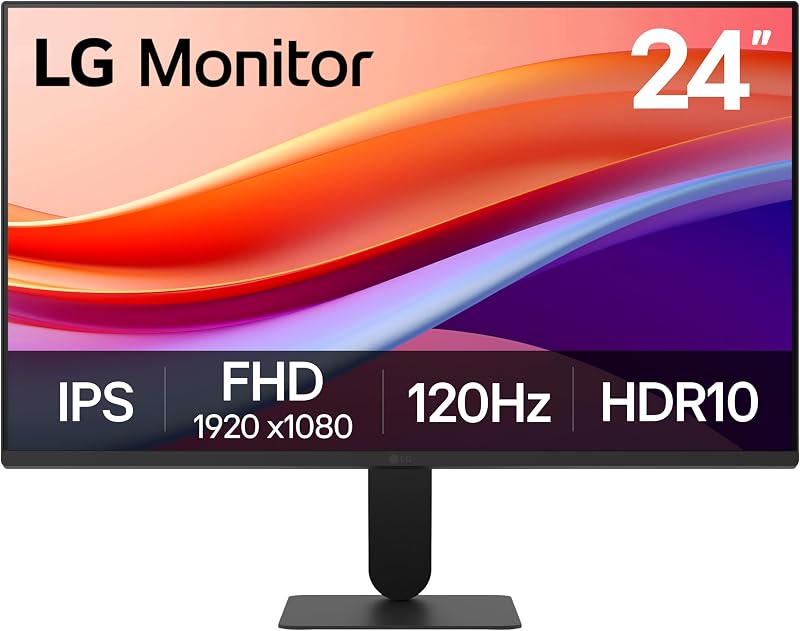
Best for: Compact desks and multi-screen workstations
Pros
- Smooth 120Hz refresh rate
- 1500:1 IPS contrast ratio
- Three-side borderless frame
Cons
- Tilt-only stand adjustment
- Basic 1080p resolution
The LG 24U411A-B 24-inch Full HD is an efficient, space-conscious monitor tailored for compact desktop setups. Built around a 23.8-inch IPS panel with a native resolution of 1920 x 1080 pixels, it provides stable 178-degree viewing angles and an enhanced 1500:1 contrast ratio. A fast 120Hz refresh rate and 1ms Motion Blur Reduction ensure smooth cursor tracking, reduced stutter, and fluid document scrolling. The panel features a matte finish, 250 cd/m² brightness, 99% sRGB color gamut coverage, HDR10 support, and Flicker Safe technology. Its three-side virtually borderless design pairs with a slim stand base that conserves space on narrow workstations, such as a compact pamray 32 inch computer desk.
This monitor suits students, remote administrative staff, and mobile professionals setting up secondary workstations in limited spaces. The stand provides tilt adjustment from -5 to 20 degrees, while LG’s Switch app allows users to split the display into up to six sections or launch video calls with a hotkey. With HDMI connectivity and Dynamic Action Sync to minimize input lag, it delivers reliable day-to-day computing. It gives way to the LG 27U411A-B when users desire larger native interface scaling, or to LG’s ultrawide and 4K displays when workflows demand higher resolution or laptop docking.
| Color | Black |
|---|---|
| Size | 24 inch |
| Dimensions | 8.7 x 21.2 x 16.4 Inches |
1 more published attribute
| Weight | 7.1 Pounds |
|---|
Specifications and price are read from the Amazon product listing, not measured by this site. Open the listing
LG 27U411A-B 27-inch Full HD

Best for: Large readable desktop text and numbers
Pros
- Fluid 120Hz refresh rate
- Wide 178-degree IPS viewing
- Switch app window splitting
Cons
- Wider pixel pitch at 27 inches
- Tilt-only stand adjustment
The LG 27U411A-B 27-inch Full HD expands the capabilities of its 24-inch counterpart onto a larger 27-inch display canvas. Sharing the same 1920 x 1080 resolution, IPS panel architecture, and 120Hz refresh rate, it produces smooth frame transitions and sharp visuals from wide 178-degree angles. Because the 1080p resolution is spread over a 27-inch diagonal, the panel features a 0.31 mm pixel pitch, resulting in naturally larger interface elements and text. Visual performance is supported by a 1500:1 contrast ratio, 250 cd/m² brightness, 1ms Motion Blur Reduction, and 99% sRGB coverage with HDR10 processing.
This model serves office workers and data entry operators who want larger on-screen text and comfortable viewing from a distance without software scaling. Eye comfort is aided by Reader Mode, which reduces blue light, and Flicker Safe technology. The three-side virtually borderless bezel and slim tilt-adjustable stand keep the desk footprint light, while the Switch app manages window arrangements. The 27U411A-B gives way to the LG 27US500-W when fine detail and 4K density are required, as well as to larger ultrawide displays for horizontal multi-window workflows.
| Color | Black |
|---|---|
| Size | 27 inch |
| Dimensions | 8.7 x 24.1 x 18 inches |
1 more published attribute
| Weight | 9.3 Pounds |
|---|
Specifications and price are read from the Amazon product listing, not measured by this site. Open the listing
LG 32MR50C-B Curved Monitor 32-Inch FHD

Best for: Curved multimedia viewing and document analysis
Pros
- High 3000:1 VA contrast
- 100Hz refresh with FreeSync
- Immersive 32-inch curved surface
Cons
- Glossy screen finish reflects glare
- No height adjustment
The LG 32MR50C-B Curved Monitor 32-Inch FHD is designed for users seeking a broad, immersive display for home office tasks and media. Featuring a 32-inch curved VA panel with 1920 x 1080 resolution, it delivers a deep 3000:1 contrast ratio that renders rich dark tones and clear distinctions in spreadsheets or streaming content. The curved screen brings peripheral edges closer to the user’s line of sight across its 27.9-inch width. Performance features include a 100Hz refresh rate, AMD FreeSync support, Black Stabilizer for shadow detail, and Dynamic Action Sync for responsive input.
This display is well matched to professionals who spend long hours reviewing documents, streaming webinars, or working from an ergonomic station featuring a mimoglad ergonomic office chair. The stand offers tilt adjustment, and LG’s OnScreen Control software allows users to divide the screen or modify settings with a mouse. Because the panel has a glossy finish and a 0.36 mm pixel pitch, it requires thoughtful desk placement away from direct glare. It gives way to the LG 34WR55QK-B when higher resolution or dual-window side-by-side sharpness is necessary.
| Color | Black |
|---|---|
| Dimensions | 9.2 x 27.9 x 20.2 inches |
| Weight | 11.3 pounds |
Specifications and price are read from the Amazon product listing, not measured by this site. Open the listing
LG 34U530A-W 34-inch UltraWide WFHD
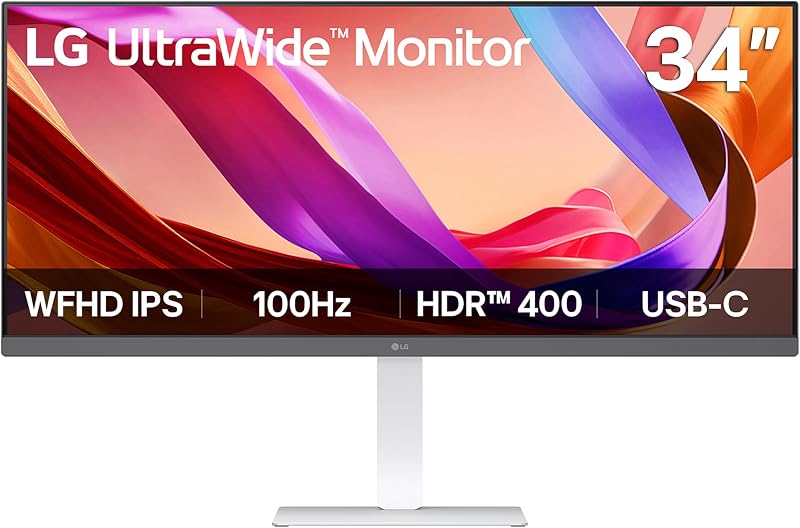
Best for: Panoramic horizontal multitasking and laptop audio
Pros
- Expansive 21:9 ultrawide panel
- DisplayHDR 400 with 400 nits
- Tilt height and swivel stand
Cons
- 2560×1080 resolution on 34 inches
- Listing omits USB-C charging wattage
The LG 34U530A-W 34-inch UltraWide WFHD brings an expansive 21:9 aspect ratio and 2560 x 1080 resolution to multitasking workstations. As a flat lg ultrawide office monitor, it delivers significantly more horizontal screen space than conventional 16:9 displays, letting users position reference documents, browser windows, and communication apps side by side without dual-monitor borders. Its IPS panel delivers wide viewing angles, 99% sRGB coverage, and VESA DisplayHDR 400 certification with a bright 400 cd/m² luminance. Visuals remain fluid thanks to a 100Hz refresh rate and Reader Mode for document comfort.
For workspace connectivity, the monitor includes a USB Type-C port that supports display output and data transfer, streamlining laptop connections. It also provides HDMI and DisplayPort inputs, alongside built-in stereo speakers featuring Waves MaxxAudio that eliminate the need for external desktop speakers. The white stand offers tilt, height, and swivel adjustments, while the Switch app divides the canvas into up to six zones. This model suits timeline editors and project managers, though it gives way to the LG 34WR55QK-B when users demand 1440p resolution or confirmed 65W USB-C laptop charging.
| Color | White |
|---|---|
| Dimensions | 9.1 x 32.1 x 21 Inches |
| Weight | 19.4 pounds |
Specifications and price are read from the Amazon product listing, not measured by this site. Open the listing
LG 34WR55QK-B 34-inch UltraWide WQHD
Best for: Demanding professionals requiring single-cable laptop docking
Pros
- Sharp 3440×1440 WQHD resolution
- 65W USB-C power delivery
- Picture-by-Picture dual-input support
Cons
- VA panel viewing angles
- Requires significant desk space
The LG 34WR55QK-B 34-inch UltraWide WQHD serves as a comprehensive docking monitor engineered for high-productivity workstations. It features a 34-inch curved VA panel with a 21:9 aspect ratio and 3440 x 1440 WQHD resolution, delivering sharp text clarity and tight 0.23 mm pixel pitch. The panel achieves a 3000:1 contrast ratio, 300 cd/m² brightness, 99% sRGB color expression, and HDR10 enhancement. A 100Hz refresh rate and 5ms response time keep window movement fluid, while the gentle curve maintains comfortable sightlines across the broad display surface.
Functioning as a dedicated lg usb-c monitor for laptop environments, it incorporates a USB Type-C port capable of up to 65W power delivery, supplying charging, video, and data through a single cable. Connectivity is further expanded by two HDMI ports, a DisplayPort input, two USB ports, and a headphone jack. The ergonomic stand provides tilt and height adjustments, making it easy to align on a furmax electric standing desk. LG’s OnScreen Control software supports Picture-by-Picture, allowing simultaneous display from two computers. This model is ideal for corporate multitaskers and analysts, yielding only to the LG 27US500-W when pure 4K density and flat geometry are preferred.
| Color | Black |
|---|---|
| Dimensions | 10.2 x 31.9 x 22.4 inches |
| Weight | 15.2 Pounds |
Specifications and price are read from the Amazon product listing, not measured by this site. Open the listing
LG 27US500-W Ultrafine Monitor 27-Inch 4K
Best for: Detailed visual editing and high-resolution design
Pros
- Crisp 4K UHD resolution
- 90% DCI-P3 color gamut
- Three-side borderless frame
Cons
- Standard 60Hz refresh rate
- Lacks USB-C connectivity
The LG 27US500-W Ultrafine Monitor 27-Inch 4K provides exceptional visual fidelity for creative and detail-intensive office tasks. Its 27-inch IPS panel features a 4K UHD resolution of 3840 x 2160 pixels, packing over eight million pixels onto the screen for crisp typography, fine spreadsheet lines, and high-resolution media editing. The monitor features a 1000:1 contrast ratio, 300 cd/m² brightness, a standard 60Hz refresh rate, and up to 90% DCI-P3 color gamut coverage with HDR10 processing. A three-side virtually borderless bezel and clean white casing deliver a modern aesthetic.
This display targets digital designers, video colorists, and professionals who prioritize dense pixel resolution and broad color gamut over wide aspect ratios. Stand adjustability is limited to tilt, and video connections include HDMI and DisplayPort inputs. The box contains the stand body, stand base, screws, power adapter, HDMI cable, quick start guide, registration card, and warranty documentation. Workspace organization is supported via OnScreen Control and the Switch app. The 27US500-W gives way to LG’s 34-inch ultrawide options for users who require horizontal multi-window tiling or integrated USB-C docking power.
| Color | White |
|---|---|
| Dimensions | 8.46 x 24.15 x 17.87 Inches |
| Weight | 12.13 Pounds |
Specifications and price are read from the Amazon product listing, not measured by this site. Open the listing
Matching a Model to Your Setup
- Compact desks and tight workstations: Choose the LG 24U411A-B 24-inch Full HD for its small footprint, slim base, and responsive 120Hz IPS display that keeps essential tasks organized without overcrowding limited surfaces.
- Spreadsheet readability without interface scaling: Pick the LG 27U411A-B 27-inch Full HD if you want larger native text and numbers, smooth 120Hz scrolling, and wide viewing angles for daily administrative tasks.
- Immersive document review and entertainment: Select the LG 32MR50C-B Curved Monitor 32-Inch FHD to benefit from high 3000:1 contrast, gentle curvature, and an engaging visual area for multitasking and streaming.
- Horizontal multitasking with integrated audio: Deploy the LG 34U530A-W 34-inch UltraWide WFHD for its 21:9 panoramic layout, built-in Waves MaxxAudio speakers, height and swivel adjustments, and USB-C connectivity.
- Single-cable laptop docking and dual-system control: Invest in the LG 34WR55QK-B 34-inch UltraWide WQHD for crisp 1440p resolution, 65W USB-C charging, peripheral hub ports, and Picture-by-Picture dual-input capability.
- High-precision creative design and photo editing: Rely on the LG 27US500-W Ultrafine Monitor 27-Inch 4K for its dense UHD resolution, 90% DCI-P3 color coverage, and sharp rendering of intricate visuals.
Before You Buy
Examining manufacturer packaging and interface specifications ensures your selected monitor integrates smoothly into your workstation. Across this selection of LG displays, included cables and accessories vary between models. The listing for the LG 27US500-W explicitly includes an HDMI cable, power adapter, and stand assembly hardware in the box. However, the listings for the LG 24U411A-B, LG 27U411A-B, LG 32MR50C-B, LG 34U530A-W, and LG 34WR55QK-B do not specify which connection cables accompany the hardware. Users planning to connect laptops or desktop towers using DisplayPort or USB-C should verify cable availability prior to setting up their workspace.
Power delivery specifications and stand ergonomics also differ substantially across the range. While the LG 34WR55QK-B provides up to 65W of USB-C power delivery to charge connected notebooks, the LG 34U530A-W supports display output and data transfer via USB-C without stating a charging wattage in its listing. Furthermore, physical stand mobility ranges from tilt-only adjustment on the 24-inch, 27-inch, and 32-inch models to comprehensive height and swivel support on the ultrawide displays. Because none of the listings detail VESA mounting bracket compatibility or hole dimensions, users intending to use third-party monitor arms should verify mounting specifications separately.
FAQ
What is the difference between LG OnScreen Control and the Switch app?
Both applications provide desktop software management for LG monitors, but each serves slightly different functions according to their listings. LG OnScreen Control allows users to configure split-screen presets and modify core hardware settings like brightness with mouse clicks, while also supporting advanced features like Picture-by-Picture on compatible displays. The Switch app, available on models such as the LG 24U411A-B and LG 34U530A-W, allows users to partition the desktop into up to six custom display sections and launch video calls using dedicated hotkeys.
Which LG office monitor supports single-cable laptop charging?
Based on the product listings, the LG 34WR55QK-B explicitly supports laptop charging via its USB Type-C port, providing up to 65W of power delivery alongside video signal transmission and data transfer. While the LG 34U530A-W also features USB Type-C for display output and data, its listing does not state a power delivery wattage. The remaining four models in this comparison rely on standard HDMI or DisplayPort connections and do not provide laptop charging capability.
Does an ultrawide office monitor replace dual monitors effectively?
A 21:9 ultrawide monitor such as the LG 34U530A-W or LG 34WR55QK-B effectively replaces a conventional dual-monitor setup by providing a seamless, continuous screen surface without a center bezel. Users can position spreadsheets, word processors, and communication apps side by side with ease. On the LG 34WR55QK-B, Picture-by-Picture support even allows content from two distinct computer inputs to display simultaneously on one screen.
Is Full HD resolution clear enough on a 27-inch or 32-inch screen?
Full HD (1920 x 1080) resolution yields different pixel densities depending on screen size. On the 23.8-inch LG 24U411A-B, pixel pitch is 0.27 mm, ensuring crisp clarity. On the 27-inch LG 27U411A-B and 32-inch LG 32MR50C-B, pixel pitch increases to 0.31 mm and 0.36 mm respectively, resulting in larger default text that is easy to read from a distance without software scaling. For intricate graphic design or video editing, higher resolution screens like the 1440p LG 34WR55QK-B or 4K LG 27US500-W offer tighter pixel density.
What ergonomic stand adjustments are included across these models?
Stand capabilities vary by model. The LG 24U411A-B, LG 27U411A-B, LG 32MR50C-B, and LG 27US500-W feature tilt-adjustable stands that adjust forward and backward viewing angles. For setups requiring vertical height alignment, the LG 34WR55QK-B provides tilt and height adjustments, while the LG 34U530A-W includes tilt, height, and swivel adjustments for comprehensive physical flexibility.
Side by side
The 6 models above, lined up on the attributes that every one of them publishes, plus the score and listed price for all of them. Scores are out of 10, based on listed specifications and buyer feedback.
| Attribute | 01 24U411A-B 24-inch Full HD | 02 27U411A-B 27-inch Full HD | 03 32MR50C-B Curved Monitor 32-Inch FHD | 04 34U530A-W 34-inch UltraWide WFHD | 05 34WR55QK-B 34-inch UltraWide WQHD | 06 27US500-W Ultrafine Monitor 27-Inch 4K |
|---|---|---|---|---|---|---|
| Our scoreout of 10 | 8.2/10 | 8.0/10 | 9.0/10 | 8.6/10 | 9.0/10 | 9.2/10 |
| Color | Black | Black | Black | White | Black | White |
| Dimensions | 8.7 x 21.2 x 16.4 Inches | 8.7 x 24.1 x 18 inches | 9.2 x 27.9 x 20.2 inches | 9.1 x 32.1 x 21 Inches | 10.2 x 31.9 x 22.4 inches | 8.46 x 24.15 x 17.87 Inches |
| Weight | 7.1 Pounds | 9.3 Pounds | 11.3 pounds | 19.4 pounds | 15.2 Pounds | 12.13 Pounds |
Attributes that only some of the models publish are left out of this table; they stay in each model’s own spec sheet above.